
Boosters are special items that make your gameplay easier and more fun. They can give you extra damage, refill your health, or let you use your abilities faster—helping you do better in battles!
How do I activate a Booster during battle?
To activate a Booster, follow these steps:
1. Tap the Booster Shop icon in the bottom-left corner of the battle screen.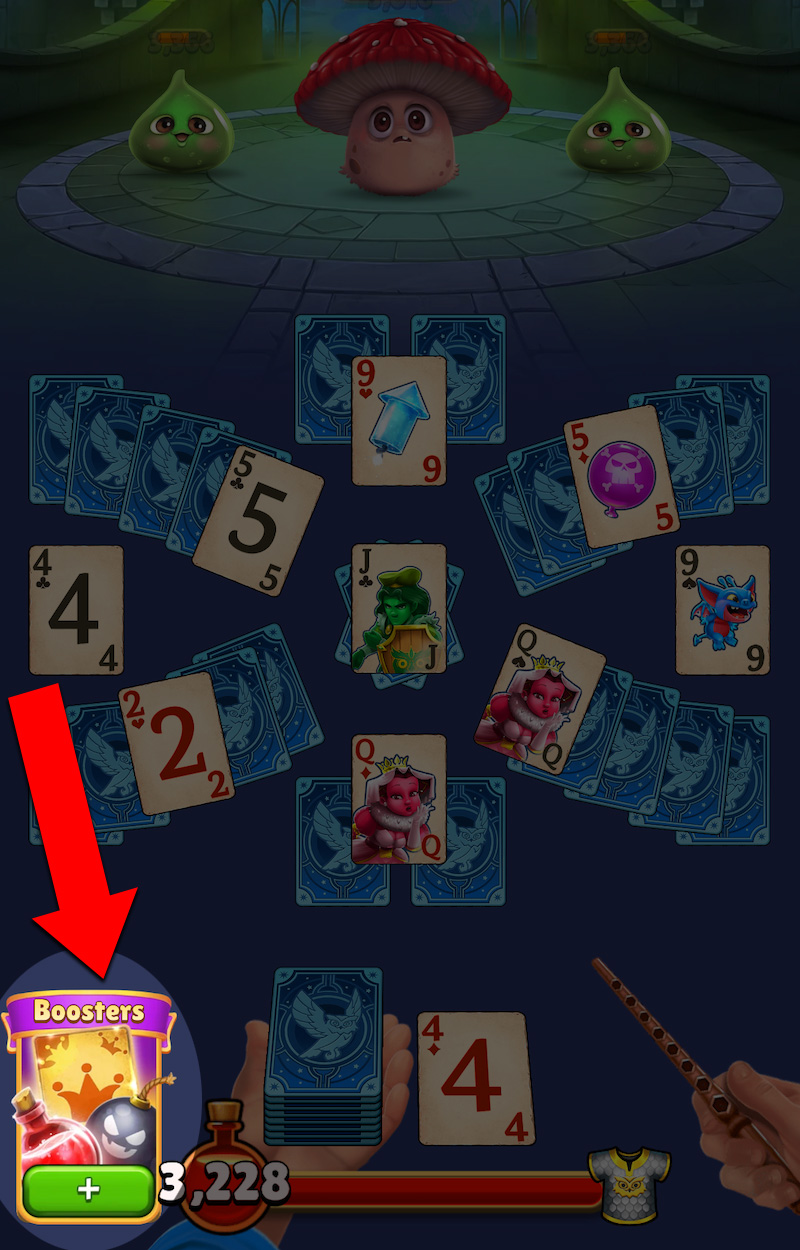
2. Browse the list of Boosters.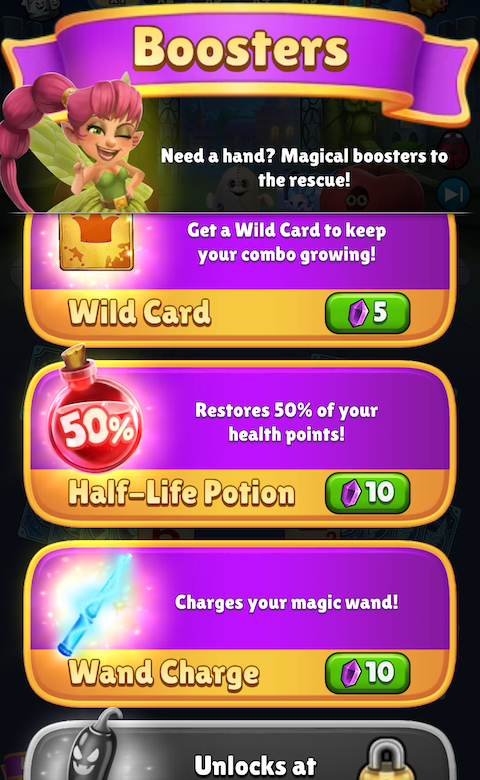
3. Tap the Booster you want to use to activate it for immediate effects in battle.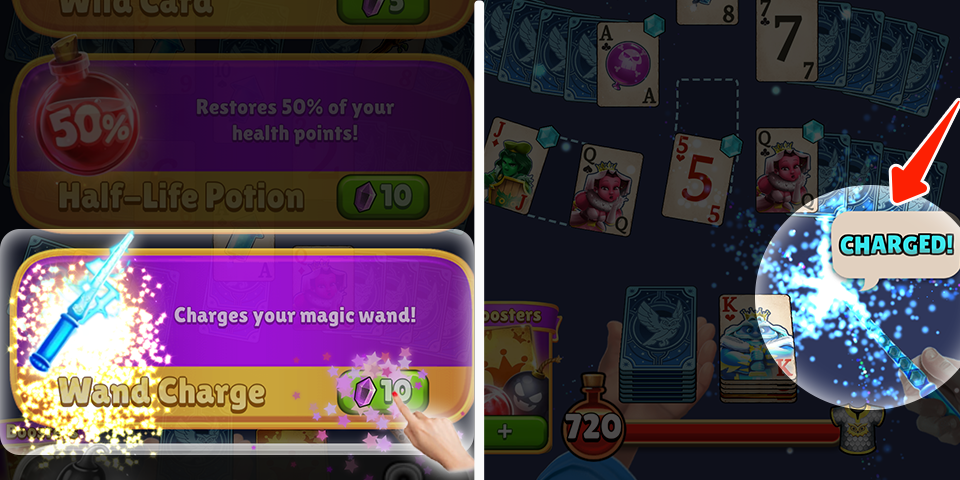
Can I use more than one Game Booster at once?
Yes! You can combine different types of Boosters for stronger effects.
Do I need to purchase a booster every time I want to use one?
If you’ve already purchased boosters in the past, they’ll be stored in your inventory. Just open the Booster Shop, select the booster, and tap to use it when needed.
💡Learn more about: What are the different Boosters and how do they help?